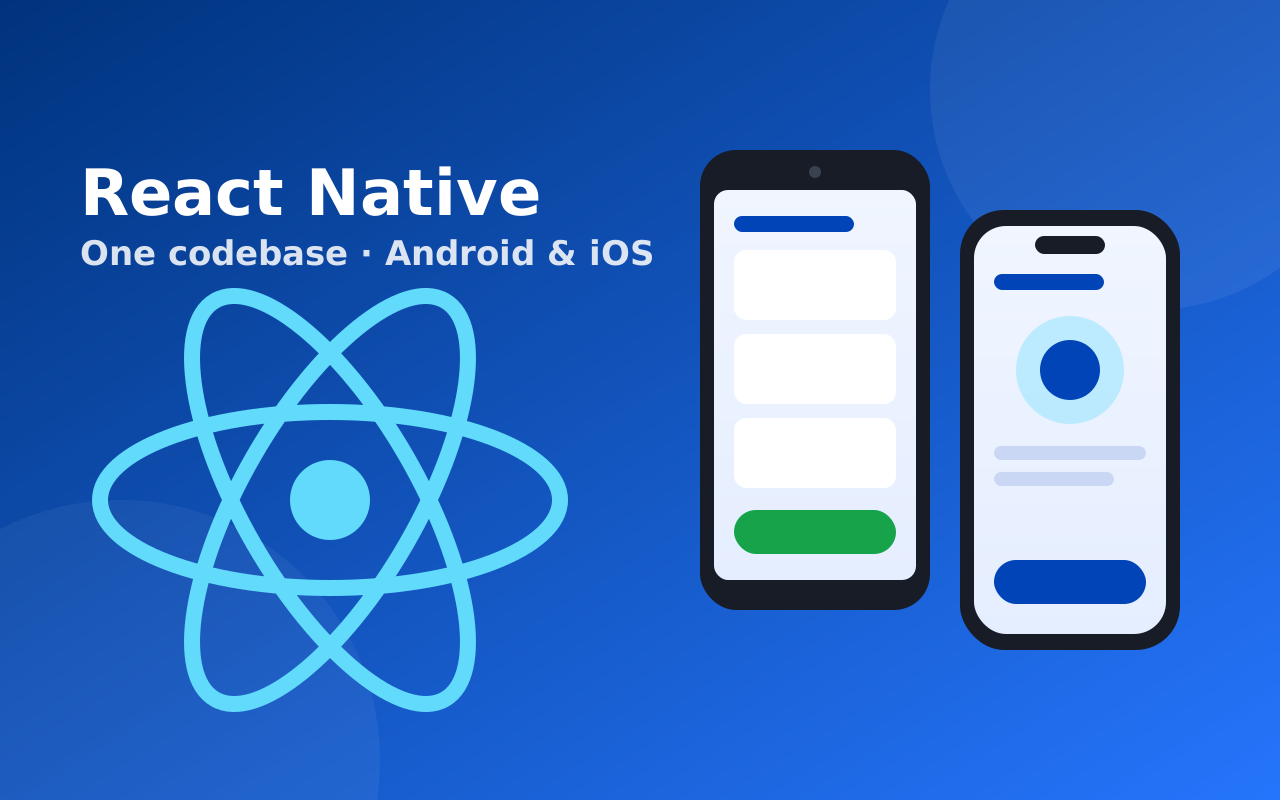
React Native Development CourseLive online across India · Tamil & English · Classroom in Rasipuram, Tamil Nadu
Job-ready React Native course with MERN back end — React, Expo, Node.js, Express, MongoDB, Play Store publishing — live online across India, or in our Rasipuram classroom (Tamil Nadu).
Course overview
Course Description:
React Native lets you build real Android and iOS apps from one JavaScript and TypeScript codebase, and it is used in production by companies such as Meta, Microsoft and Shopify. This 16-week course makes you a full stack mobile developer: you learn React, build the app with React Native and Expo, and build its back end yourself with Node.js, Express and MongoDB — the MERN stack. You connect the two with secure login, use the phone's camera, location and notifications, take payments through your own server, deploy your API to the cloud and publish your app on the Google Play Store. You finish with two portfolio apps, each with its own working back end.
Key Highlights:
- Start from JavaScript and TypeScript basics — no prior mobile or back-end experience needed.
- Learn React properly (components, hooks, state) before moving to mobile, so the same skills carry over to web jobs.
- Build apps with Expo and Expo Router, the setup the React Native team recommends for new apps.
- Build your own REST API with Node.js, Express and MongoDB, with JWT login, image uploads and cloud deployment.
- Use device features — camera, maps, location, push notifications — and take Razorpay/UPI payments through your server.
- Build release apps with EAS and publish to the Play Store; App Store and TestFlight are covered too.
- Two full stack capstone projects for your portfolio, plus resume and interview preparation.
Target Audience:
College students and freshers aiming for React Native, mobile or full stack developer jobs.
Web developers who know HTML, CSS or JavaScript and want to build complete apps, front end to back end.
Founders and freelancers who want to build and launch their own Android and iOS apps without depending on a separate back-end team.
Mentor Support:
Learners have access to an experienced instructor through one-on-one meetings, live Q&A sessions and email, with code reviews on your projects throughout the course.
Learn online from anywhere in India — or in our classroom
🌐 Live online — pan India
Join live, trainer-led React Native Development classes from any city or town in India. Ask questions in class, get your code reviewed and practise on GoCode between sessions.
🏫 Classroom — Rasipuram
Prefer learning in person? Our centre in Rasipuram (Namakkal district) is a short trip from Salem, Namakkal, Erode and Tiruchengode.
Curriculum
17 modulesModule 1: JavaScript Foundations
- Variables, data types, operators, conditions, loops and functions.
- Modern JavaScript (ES6+): arrow functions, destructuring, spread/rest, modules and template literals.
- Arrays and objects in depth: map, filter, reduce and immutable updates.
- Asynchronous JavaScript: callbacks, promises, async/await and error handling.
Module 2: TypeScript and Git Essentials
- Why TypeScript: types, interfaces, type aliases, unions and generics.
- Typing functions, objects, API responses and component props.
- Git and GitHub for version control, branches and project hand-ins.
Module 3: React Fundamentals
- Thinking in components: JSX, props, state and one-way data flow.
- Core hooks: useState, useEffect, useRef, useMemo and useCallback.
- Lists, keys, conditional rendering, lifting state up and custom hooks.
Module 4: Getting Started with React Native and Expo
- How React Native works: JavaScript driving real native views, and the New Architecture.
- Setting up Expo, Android Studio emulator, iOS simulator and Expo Go on your own phone.
- Project structure, debugging with React Native DevTools, and reading error screens.
Module 5: Core Components, Styling and Layout
- Core components: View, Text, Image, ScrollView, TextInput, Pressable and Modal.
- Styling with StyleSheet and Flexbox; responsive layouts for phones and tablets.
- High-performance lists with FlatList and SectionList.
- Platform-specific code, safe areas, custom fonts, icons and dark mode.
Module 6: Navigation with Expo Router
- File-based routing: stack, tab and drawer navigation.
- Passing parameters, nested navigators and modal screens.
- Protected routes, login/logout flows and deep linking.
Module 7: Forms and State Management
- Forms with React Hook Form and validation with Zod.
- Sharing state with Context, and when to reach for a store.
- Global state with Redux Toolkit and Zustand.
Module 8: Back End with Node.js and Express
- How the back end fits in: clients, servers, HTTP, REST and JSON.
- Node.js fundamentals: modules, npm, environment variables and the event loop.
- Building an Express server: routes, controllers, middleware and error handling.
- Testing your API with Postman.
Module 9: MongoDB and REST API Design
- MongoDB concepts: documents, collections and how they differ from SQL tables.
- Modelling data with Mongoose: schemas, validation and relationships.
- Full CRUD APIs with filtering, sorting and pagination.
- Hosting your database on MongoDB Atlas.
Module 10: Authentication, Uploads and Deployment
- Sign-up and login with password hashing (bcrypt) and JWT access and refresh tokens.
- Protecting routes and role-based access (user/admin).
- Image and file uploads to cloud storage from the API.
- Securing and deploying your API to the cloud so your app can use it from anywhere.
Module 11: Connecting the App to Your API
- Calling your Express API from the app with Axios; loading, empty and error states.
- Server-state caching, refetching, infinite scroll and pull-to-refresh with TanStack Query.
- Storing tokens safely with SecureStore and keeping users logged in.
- Offline support with AsyncStorage and SQLite, and syncing when the network returns.
Module 12: Device Features and Push Notifications
- Camera, image picker and uploading photos to your back end.
- Location and maps; showing places and routes.
- Runtime permissions, sharing and haptics.
- Push notifications with Expo Notifications, triggered from your Node.js server.
Module 13: Payments, Firebase and Polish
- Razorpay payments (UPI, cards and wallets): creating and verifying orders on your Express server.
- Firebase essentials — phone OTP login and when Firebase beats a custom back end.
- Smooth animations and gestures with Reanimated and Gesture Handler.
Module 14: Testing, Debugging and Performance
- Unit and component tests with Jest and React Native Testing Library; API tests for your Express routes.
- Finding slow screens: profiling renders, memoisation and list optimisation.
- Crash reporting, logging and reducing app size and start-up time.
Module 15: Building and Publishing Your App
- App icons, splash screens, app signing and environment configuration.
- Release builds with EAS Build for Android (AAB/APK) and iOS.
- Publishing to the Google Play Store — internal testing to production — and an App Store/TestFlight walkthrough.
- Shipping fixes instantly with over-the-air updates (EAS Update).
Module 16: Full Stack Capstone Projects
- Project 1: a food-ordering or e-commerce app with its own Node.js, Express and MongoDB API — login, cart, Razorpay checkout, order tracking and push notifications.
- Project 2: an app of your own choice, planned, designed, built and tested end to end with mentor reviews.
- Deploying the API, publishing a capstone app to the Play Store internal testing track and documenting both on GitHub.
Module 17: Portfolio and Career Guidance
- Building a portfolio and GitHub profile that shows your apps and APIs.
- Resume, LinkedIn and React Native / MERN interview preparation with mock interviews on GoCode.
- Career paths: React Native developer, full stack (MERN) developer, mobile developer and freelancing.
Certification
Course Certification:
On completing the course there is a cumulative test, and students who score above 60% receive a certificate of completion from GeekBase Technology, which they can use to show their React Native and MERN full stack development skills.
Note: The test is MCQ-based and a maximum of two attempts is allowed.
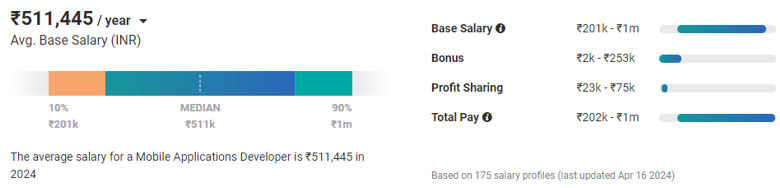
Why become a certified React Native developer?
Frequently asked questions
Does the React Native course include the MERN stack?
Yes. Alongside React and React Native, you build your app's back end yourself with Node.js, Express and MongoDB — including JWT login, image uploads, payments through your server and cloud deployment. Both capstone apps run on your own API.
Should I learn React Native or Flutter?
Choose React Native if you want JavaScript skills that also get you React web and MERN full stack jobs. Choose Flutter if you prefer Dart and highly custom-designed interfaces. Both build Android and iOS apps from one codebase.
Do I need to know JavaScript before joining?
No. The course starts with JavaScript and TypeScript fundamentals, then React, before moving to mobile and back-end development.
Will my app be published on the Play Store?
You build release versions with EAS and publish a capstone app to the Google Play Store internal testing track. App Store and TestFlight publishing is demonstrated as well.
Can I join the React Native Development course from outside Tamil Nadu?
Yes. The live online batch is open to learners anywhere in India — Chennai, Bengaluru, Hyderabad, Pune, Kochi or a small town. You attend the same live classes, with the same trainers and curriculum, as the classroom batch. Classes are taught in Tamil, English.
Where is the classroom for the React Native Development course?
Our classroom centre is on Bharathidhasan Street, Rasipuram (Namakkal district) — between Salem and Namakkal, and within reach of Erode and Tiruchengode.
What is the fee and duration of the React Native Development course?
The course runs for 16 Weeks and the fee is ₹30,000 (regular price ₹35,000). EMI options are available — message us on WhatsApp for the current batch dates and offers.
Do I get a certificate and placement support?
Yes. You receive a course completion certificate, and placement support includes resume reviews, mock interviews and practice on GoCode, our coding and interview-prep platform.